Contact Center Overview
What Contact Center is, who it's for, and what channels it supports — orientation before setup.
What is Contact Center
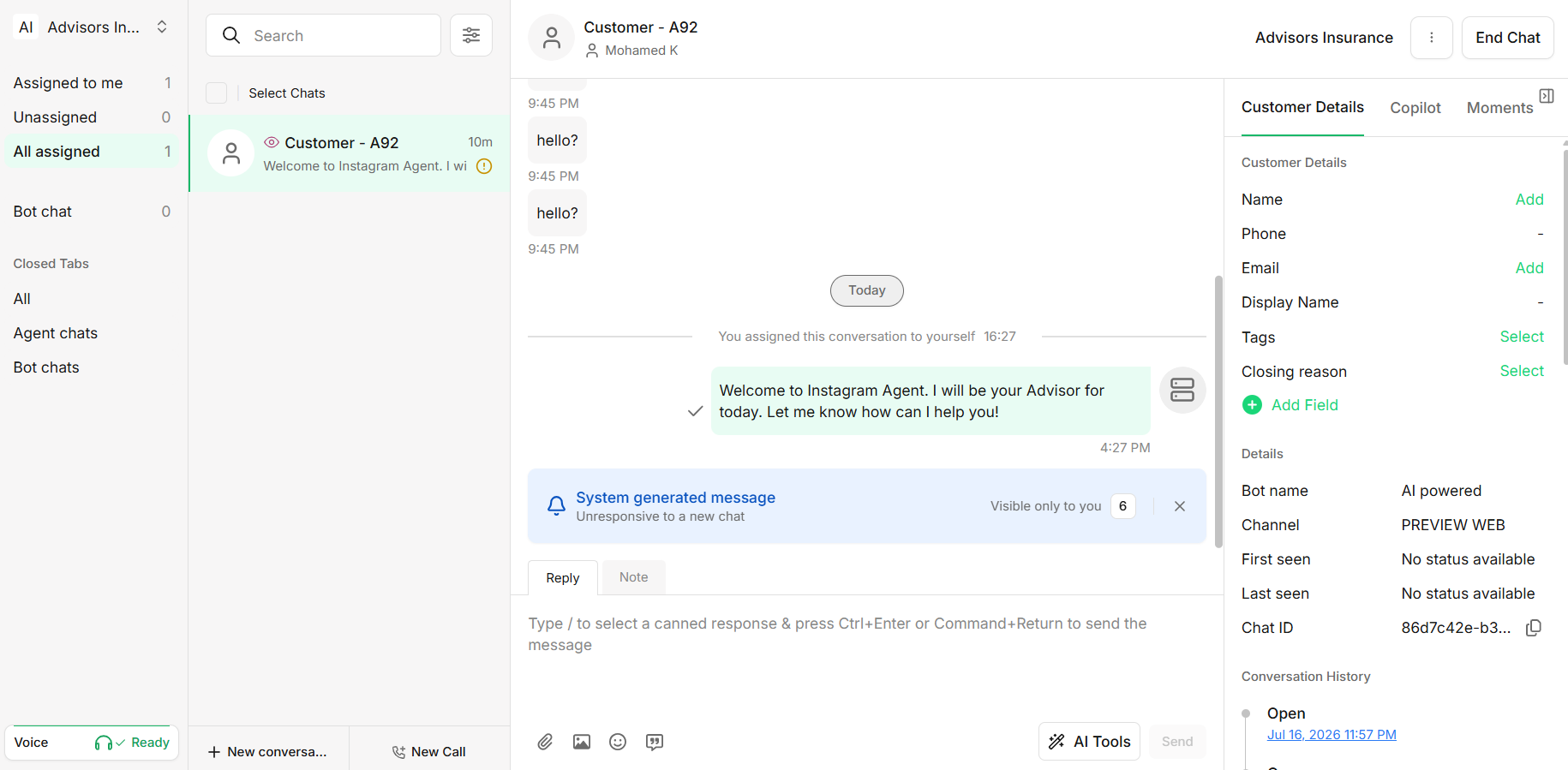
Contact Center (formerly Agent Console) lets businesses engage customers across traditional and digital channels through a one-stop solution that is comprehensive, easy to use, scalable, and reliable.
Open Contact Center directly from the Unifonic main navigation menu.
Main features
- Cloud-based Contact Center
- Natively integrated with the Unifonic chatbot builder
- Multichannel solution — agents handle conversations across multiple channels from one inbox
- Routes conversations to the best available agent, based on a customer's needs
- Real-time statistics on team performance and live conversations
Who uses it
| Role | Responsible for |
|---|---|
| Admin | Contact Center configuration and team management. |
| Agent | Handling conversations with customers directly. |
| Supervisor | An Agent promoted to supervise one or more specific teams. Access is limited to Live Chat, Analytics, CSAT, and Settings for the team(s) they supervise only. |
Full role detail, including how Supervisor is granted and what Agent skills are, lives in Users & Roles — this page is just the map.
Supported channels
| Channel |
|---|
| Messenger |
| Web widget |
| Voice |
Every conversation, regardless of channel, lands in the same agent inbox and follows the same routing logic — see Routing incoming interactions to agents.
Ready to set it up?
This page is orientation only. For the actual step-by-step setup process, go to Contact Center Setup.