Routing incoming interactions to agents
Overview
This article is the single source of truth for how Contact Center decides which agent receives an incoming conversation. The Admin Guide's Teams Configuration & Routing article links here instead of repeating this logic.
Skill-based assignment
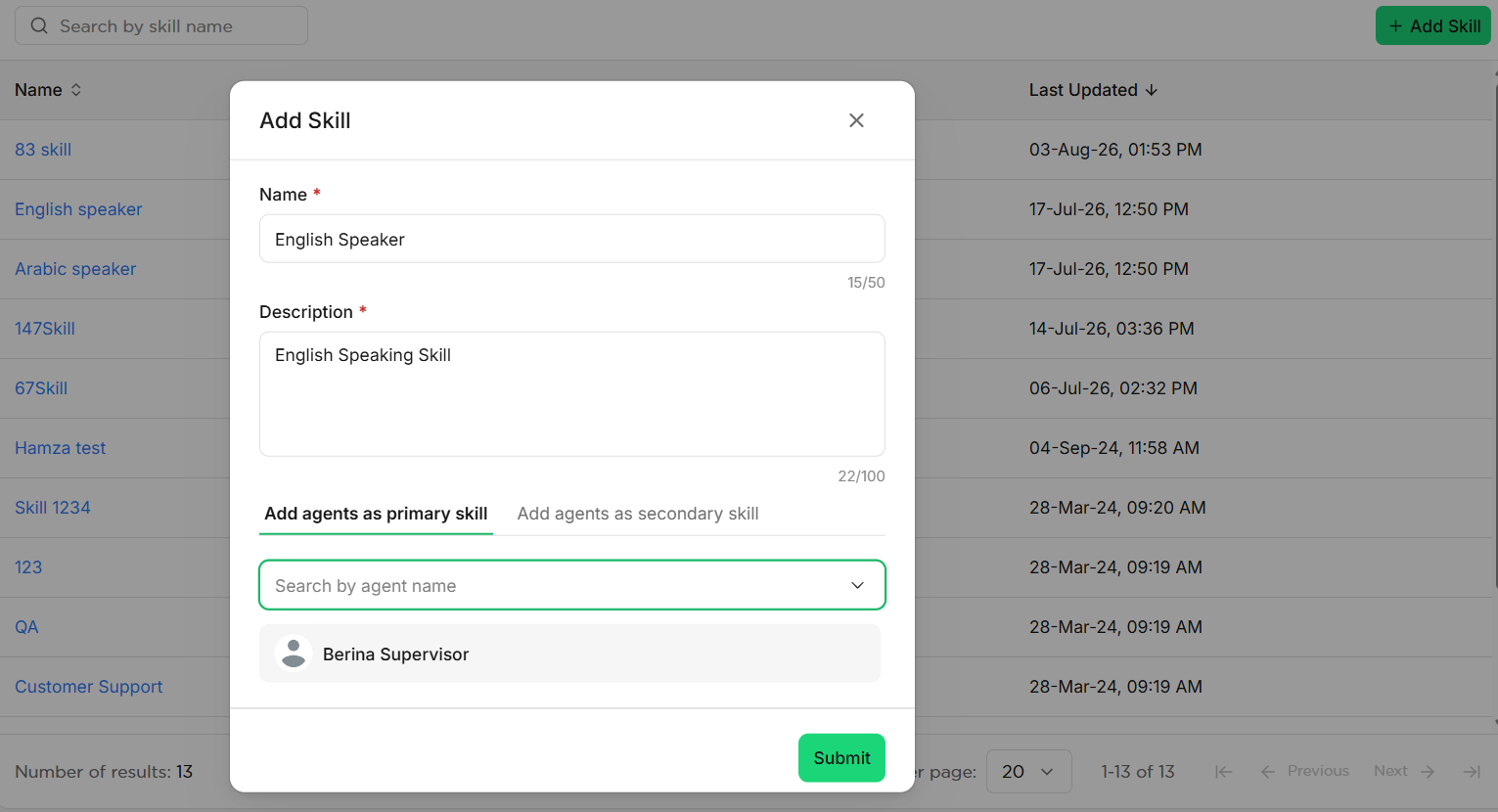
Teams and skills together offer a more precise way to route incoming chats to agents. Skills are added to team members by an Admin, describing an agent's knowledge or qualification, so interactions can go to the best-qualified agent for a given request.
When transferring an interaction from a chatbot to an agent, a 2-levels rule applies: on the chatbot's Human Handover widget, you set up a team (required) and a skill (optional).
The routing engine then applies these rules, in order:
- The chat is assigned to the team's queue.
- If a skill is set on the Human Handover widget, the routing engine tries to assign the chat to any available agent with that skill as a primary skill.
- If no agent with the primary skill is available, it tries an available agent with the skill as a secondary skill.
- If no agent with the primary or secondary skill is available, the chat goes to any available agent on the team.
- If no agents are available at all, the chat is placed in the team's queue. When agents are back, they can pick chats manually from the Unassigned tab.
Sticky agent
When enabled, a returning user's new conversation is routed back to the last agent they spoke with — but only if that agent's current team and skills still match the handover widget configuration. If the previous agent is unavailable or already at capacity, the conversation falls back to standard skill-based routing within the team.
Service Level Agreement (SLA)
SLA tracks how many conversations agents answer within a defined time window, measured from assignment to the agent's first reply. The default SLA for new and existing teams is 1 minute; Admins define the measurement time frame per team in Admin Settings.
Operating hours
Admins can set operating hours per team so the chatbot shows a predefined message when a user tries to reach an agent outside working hours, instead of routing to an unstaffed team.
Handover failure paths
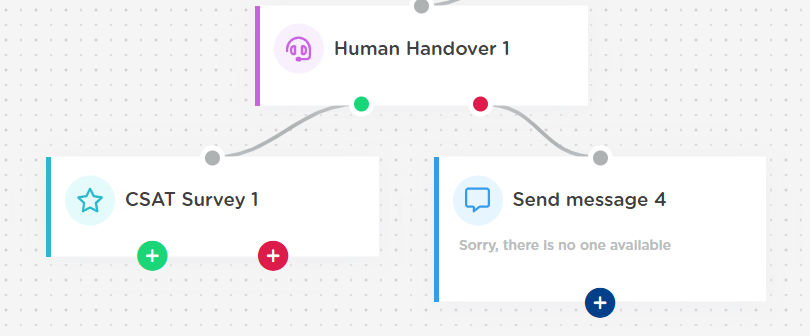
When building your chatbot flow, the Human Handover widget gives you a success path and a failure path. The failure path triggers when:
- No agents are available to take the Human Handover
- The request happens outside a team's configured operational hours
- Human Handover is disabled in that team's settings
After the agent closes a conversation
You can route a closed conversation back to the bot to run a post-chat flow — for example, a CSAT survey or a closing message. After the agent closes the conversation and it's routed back to the bot, it remains visible in the Bot tab in Contact Center.
Limitations
- Routing rules are configured per team; there's no account-wide routing override.
- Sticky agent only reactivates if the prior agent's team/skills still match — it does not search beyond the original handover widget configuration.