Users & Roles
Creating users, assigning roles, and understanding the Admin/Agent access split.
New to Contact Center? Complete the Getting Started with Contact Center guide first — it covers roles, prerequisites, and the setup path, which this page assumes are already done.
Overview
Every Contact Center user — Admin or agent — starts as a user on the UC Platform. This article covers creating users, assigning roles, and the Admin/Agent access split.
Creating a user
- Create the user on the UC Platform
- Assign a user permissions depending on his role
- Contact Center Manager
- Contact Center Supervisor
- Contact Center Agent
- Add the user to a team so they can begin receiving conversations (users are invisible to routing until they're on a team)
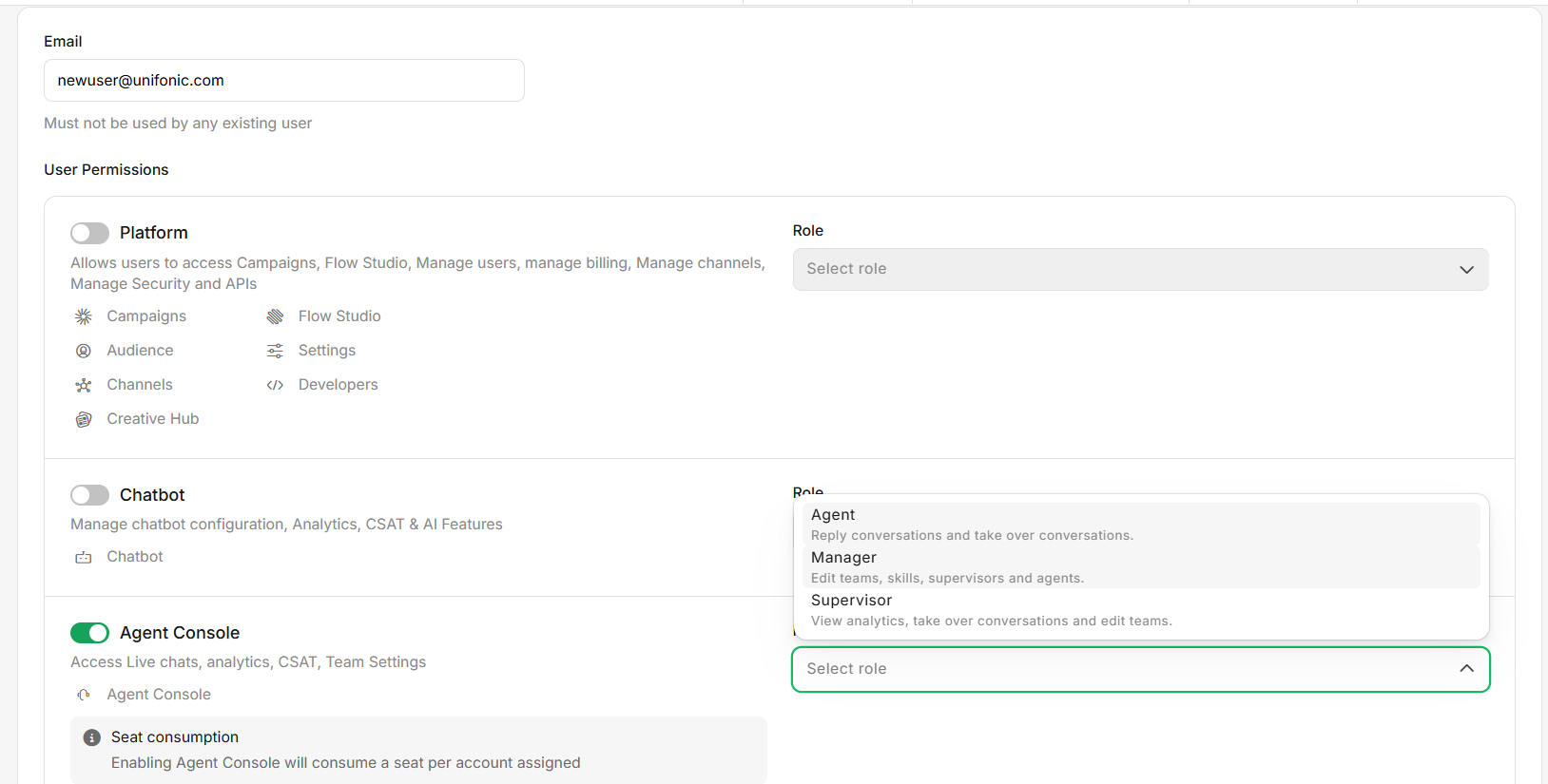
Role reference
| Role | Access |
|---|---|
| Manager | Creates teams and skills, adds/removes team members, creates other users. Privileged rights across the whole Contact Center. |
| Agent | Restricted to conversation handling; accesses Contact Center as an agent once added to a team. |
| Supervisor | An Agent promoted to supervise one or more specific teams. Access is scoped to only the team(s) they supervise — see The Supervisor role below. |
The Supervisor role
Supervisor isn't a separate permissions type — it's a promotion applied to an existing Agent, and it's granted from Teams Configuration & Routing. A user typically starts as an Agent and is later promoted to Supervisor for the specific team(s) they're assigned to oversee.
- Open the team's detail page in Teams Configuration & Routing.
- Promote the agent to Supervisor for that team.
Once promoted, a Supervisor can access, for the team(s) they supervise only:
- Live Chat — the team's conversations
- Analytics — the team's reporting
- CSAT — the team's survey results
- Settings — the team's configuration in Admin Settings
A Supervisor's access is scoped to only the teams they're assigned
to supervise — being a Supervisor on one team does not grant any visibility into a different
team's chats, CSAT, or settings.
Creating a user on the UC Platform does not automatically route
conversations to them. They must also be added to a team — see Teams Configuration &
Routing.