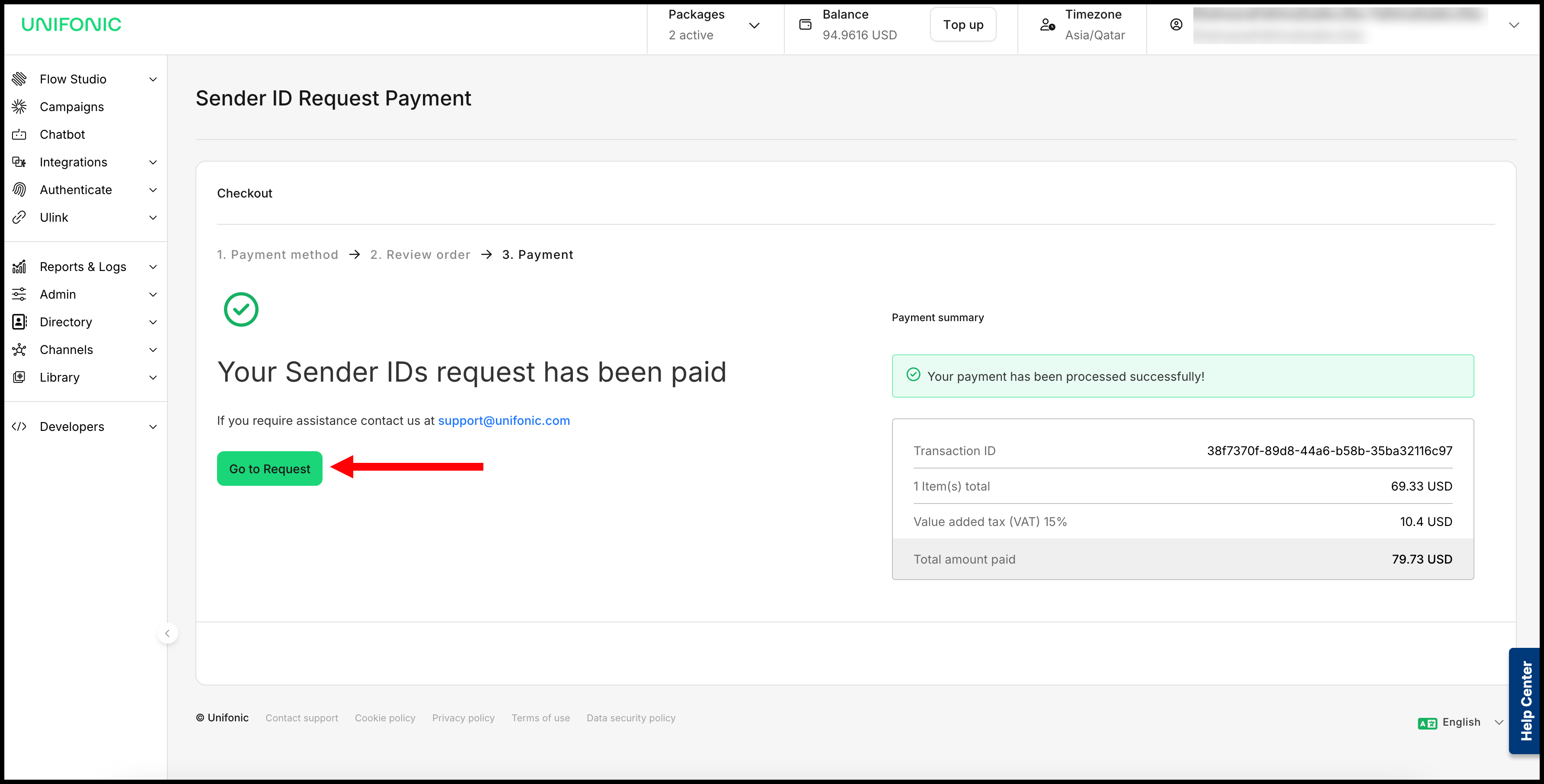
Use the Unifonic platform to request and track an SMS Sender ID. For eligible KSA requests, you can also submit documents and pay the registration fee in the platform.
Start a Sender ID request
- Sign in to the Unifonic platform.
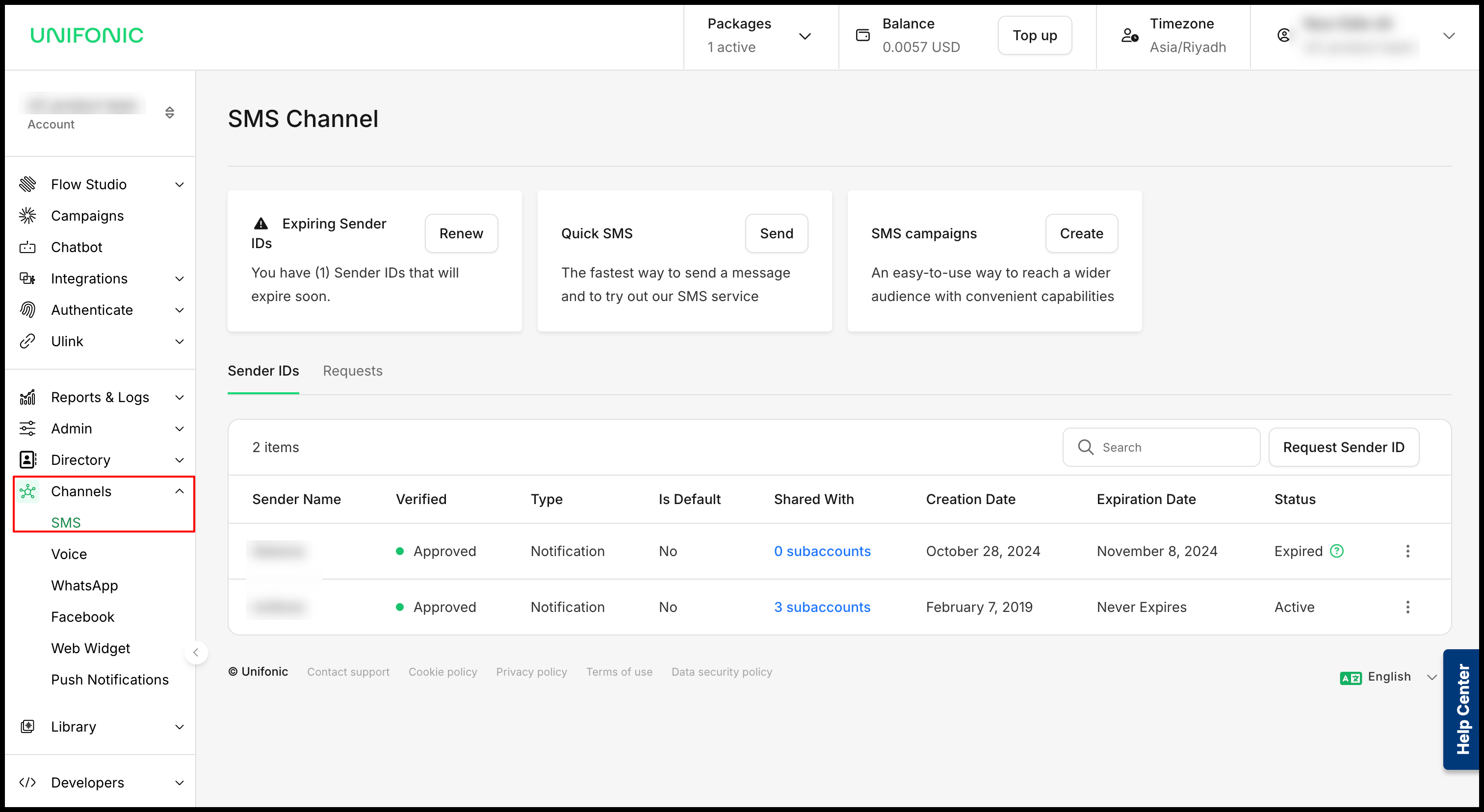
- In the sidebar, select Channels > SMS.
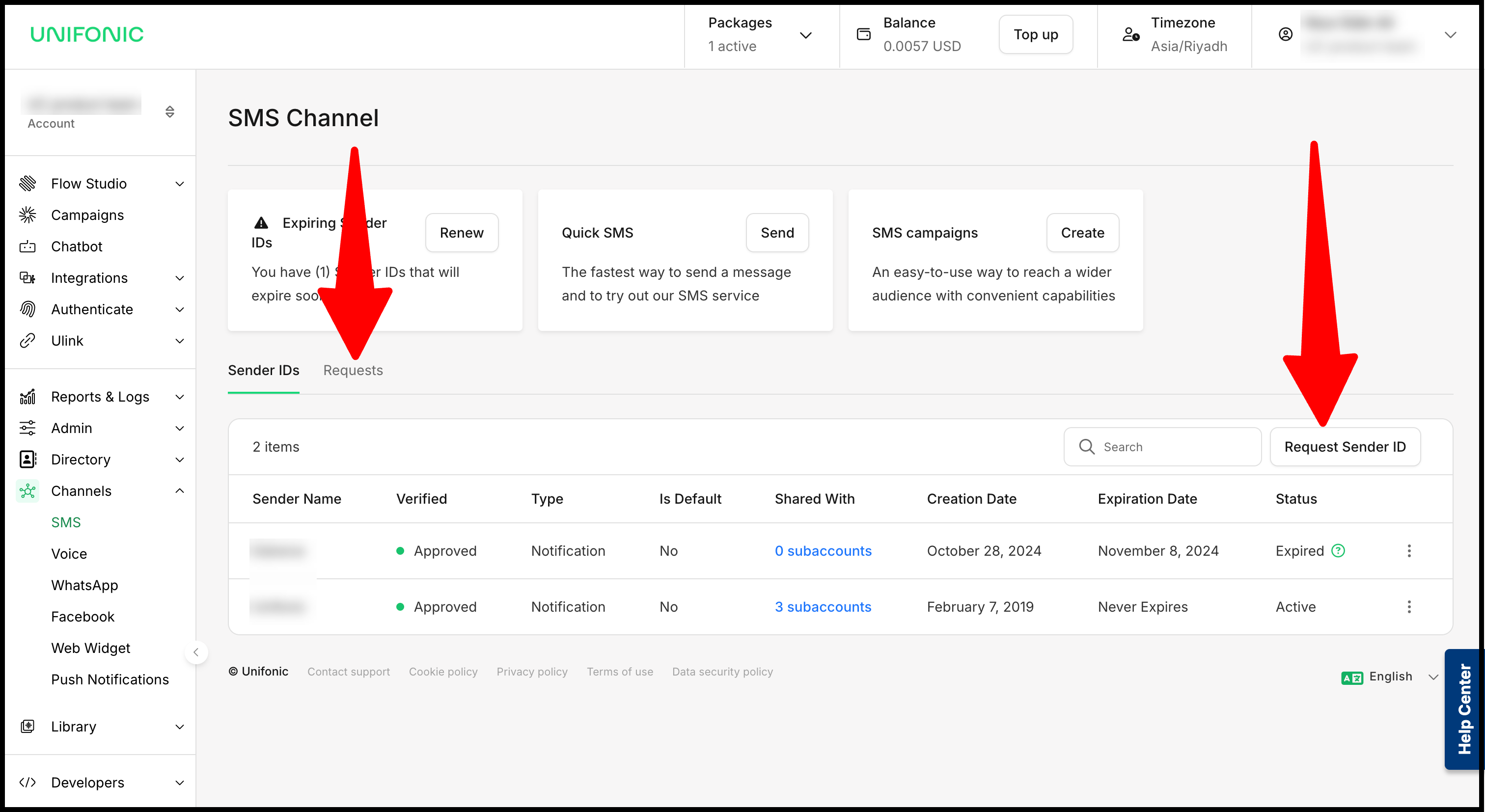
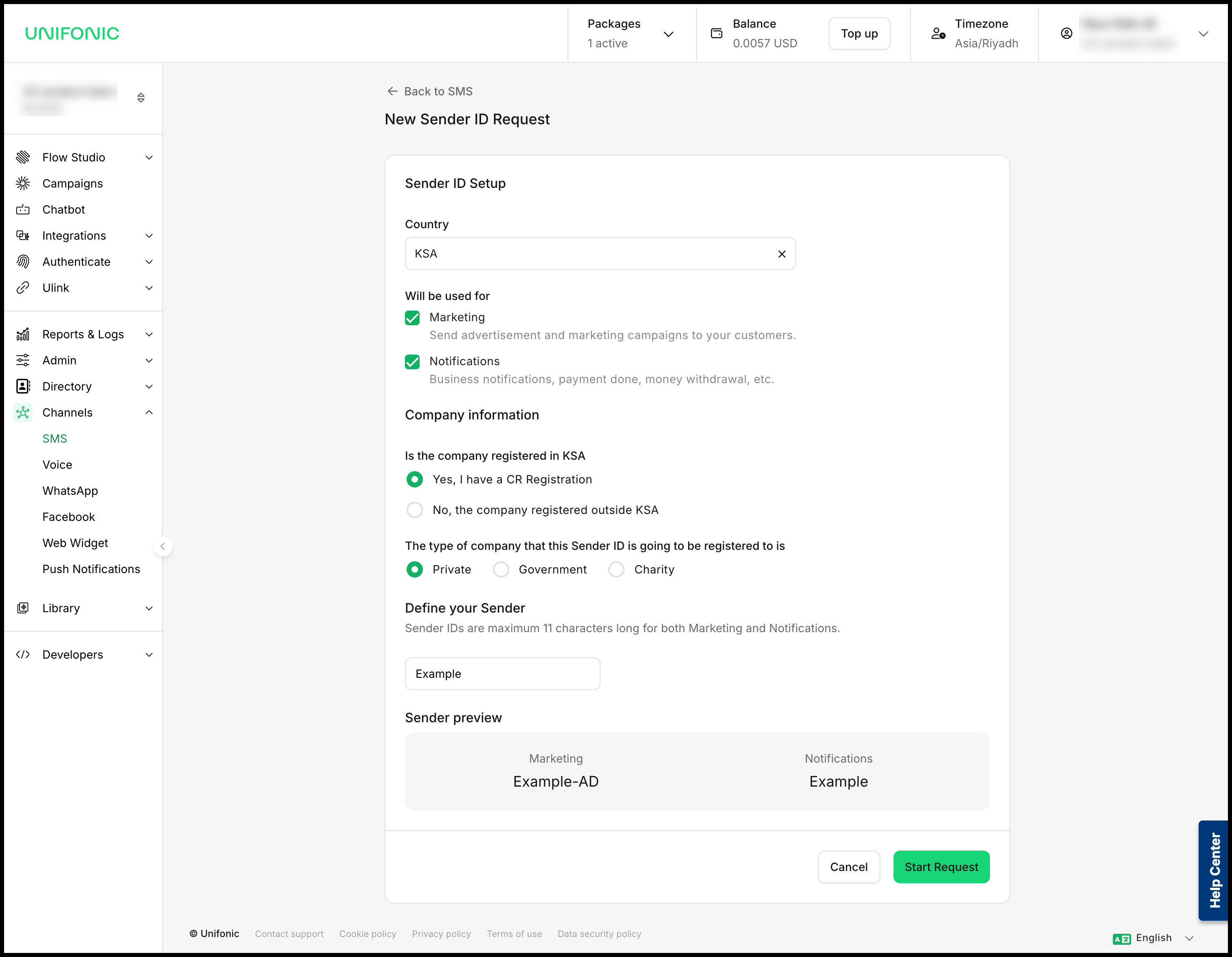
- Select Request Sender ID from the Sender IDs or Requests list.
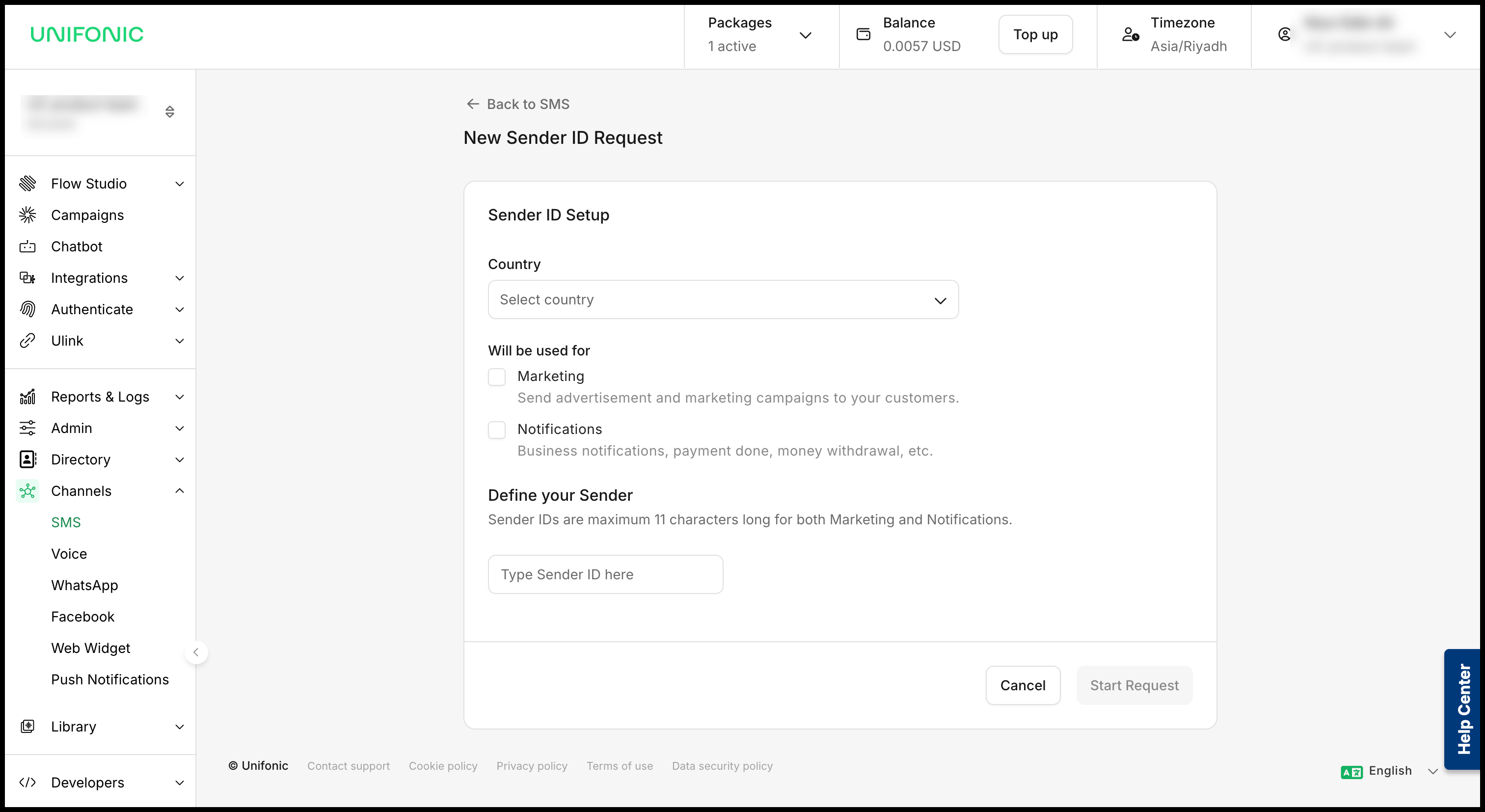
- Complete all required fields in the registration form.
 | KSA requests If your company is registered in KSA and the Sender ID is for KSA, you can start the request, submit documents, and pay the registration fee in the platform. |
Continue the registration process
KSA companies requesting a Sender ID in KSA
You can complete the registration process in the platform:
- Start the request.
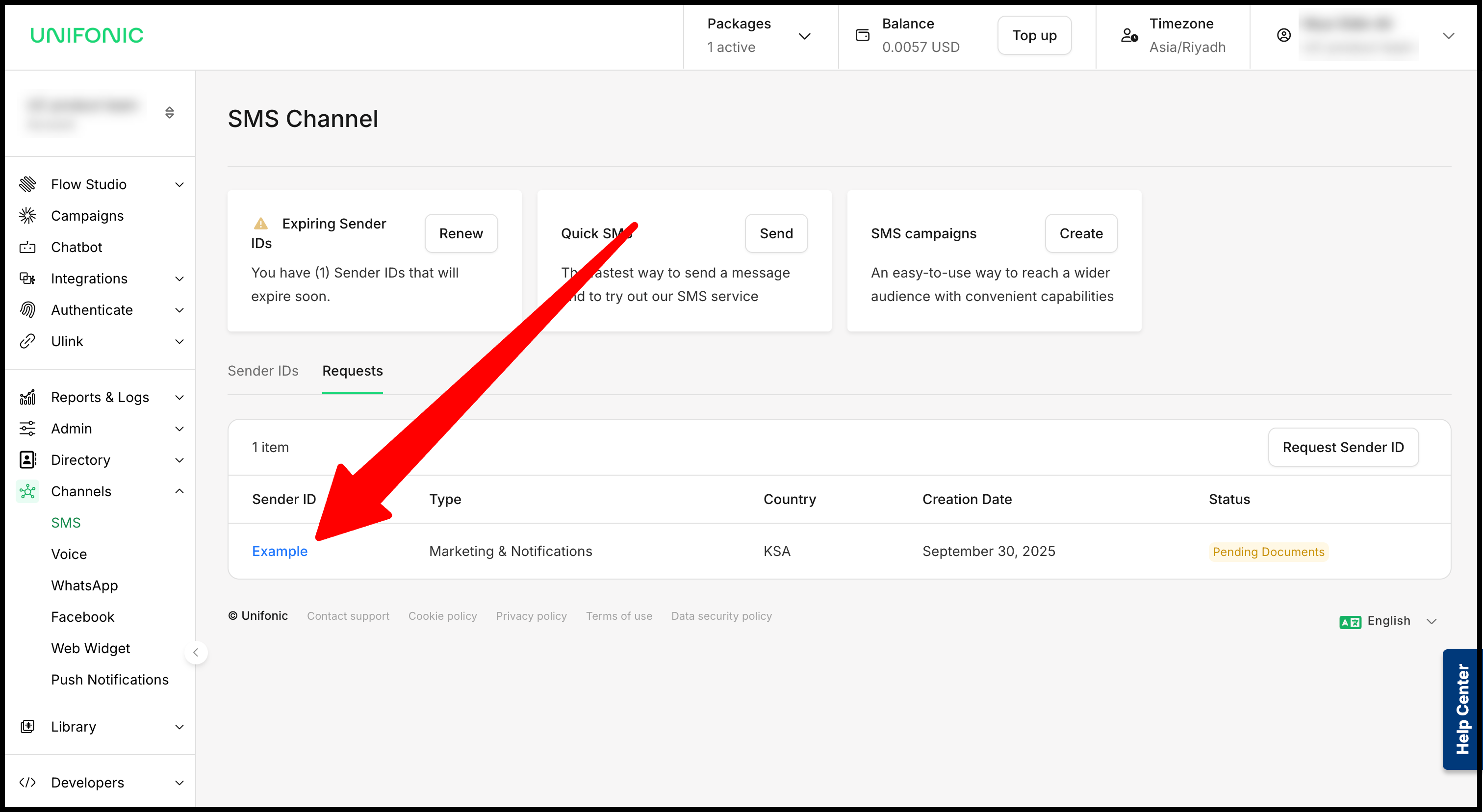
- Open the request from the Requests section.
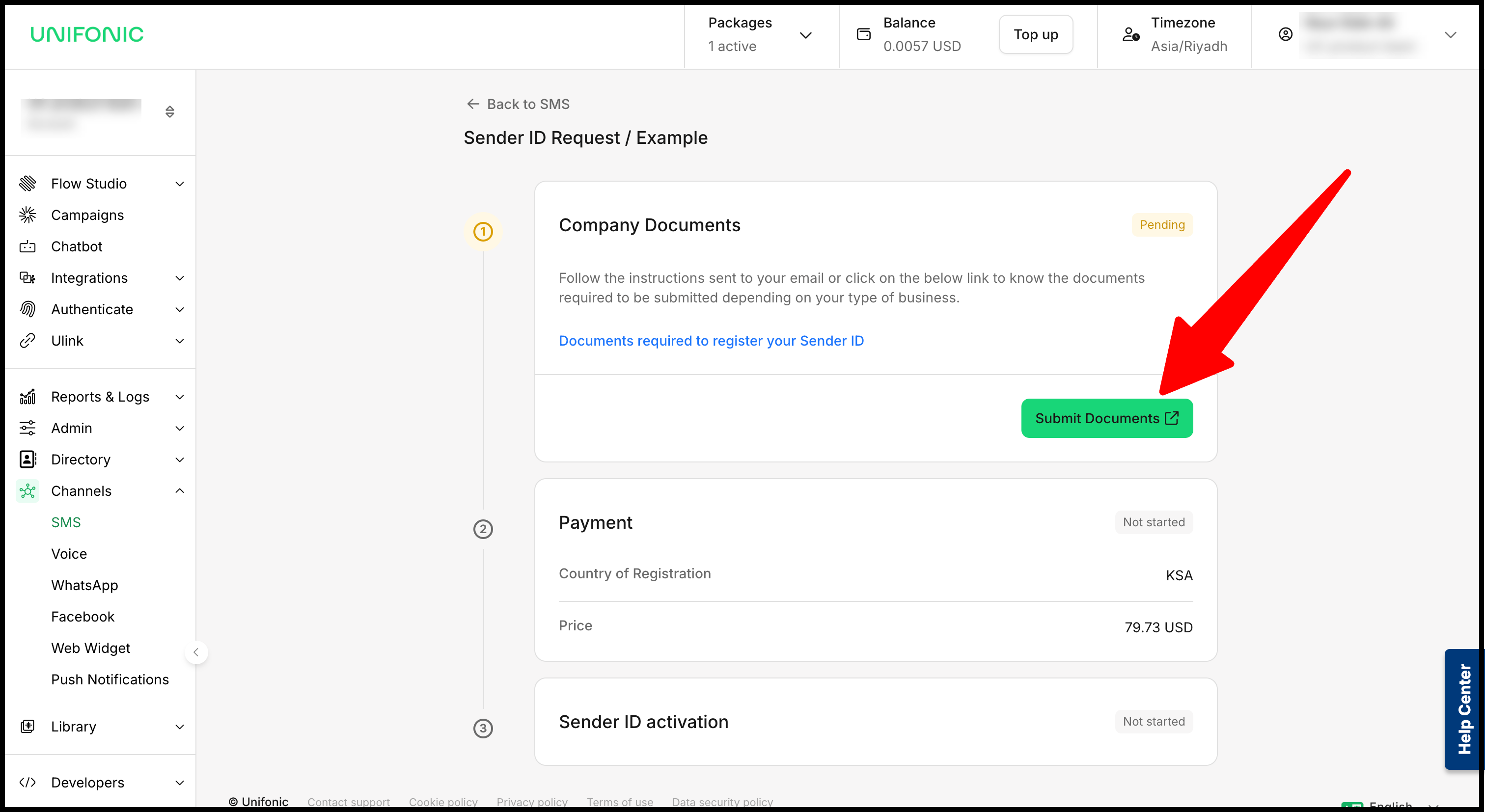
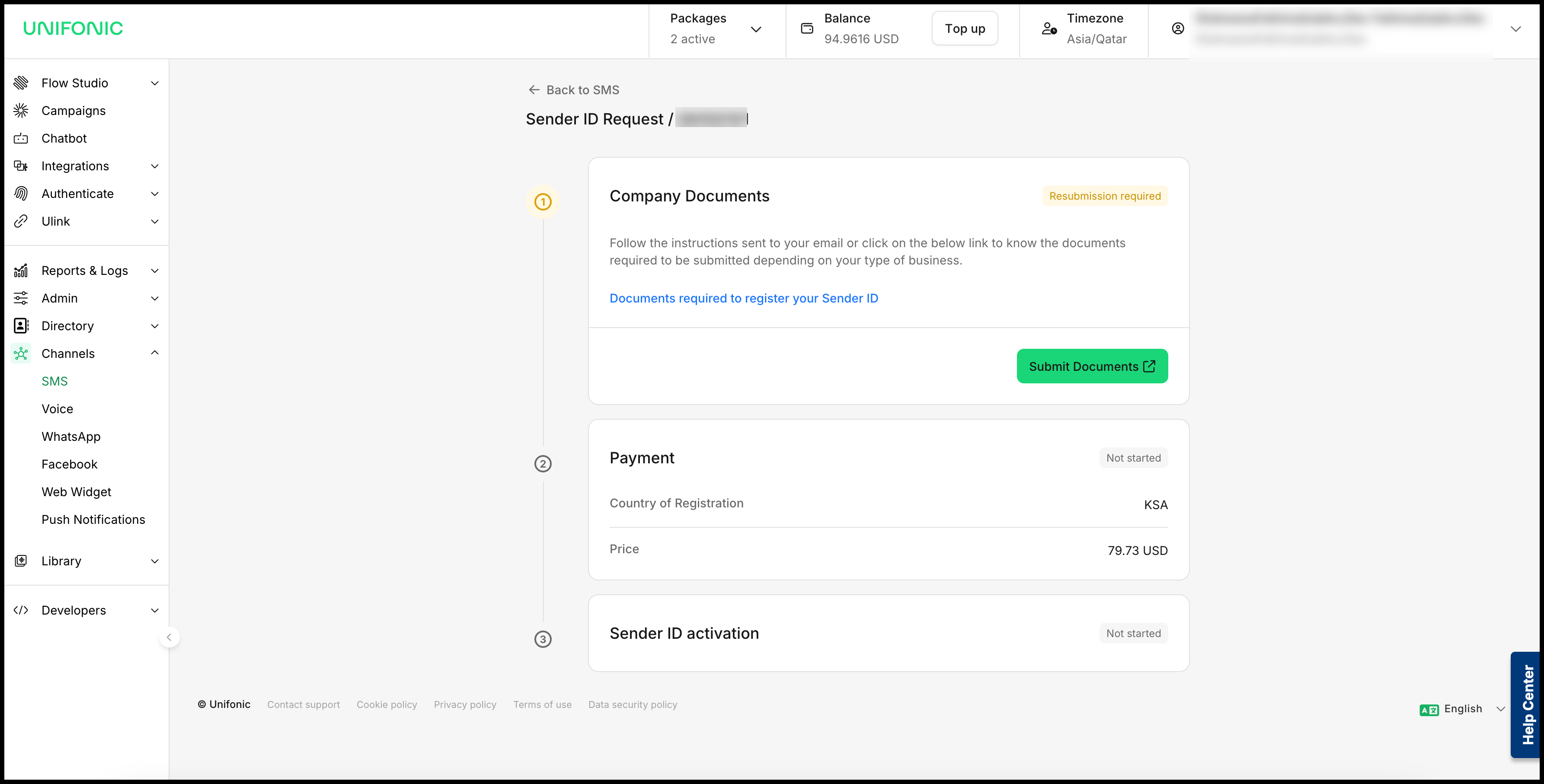
- Submit the required documents.
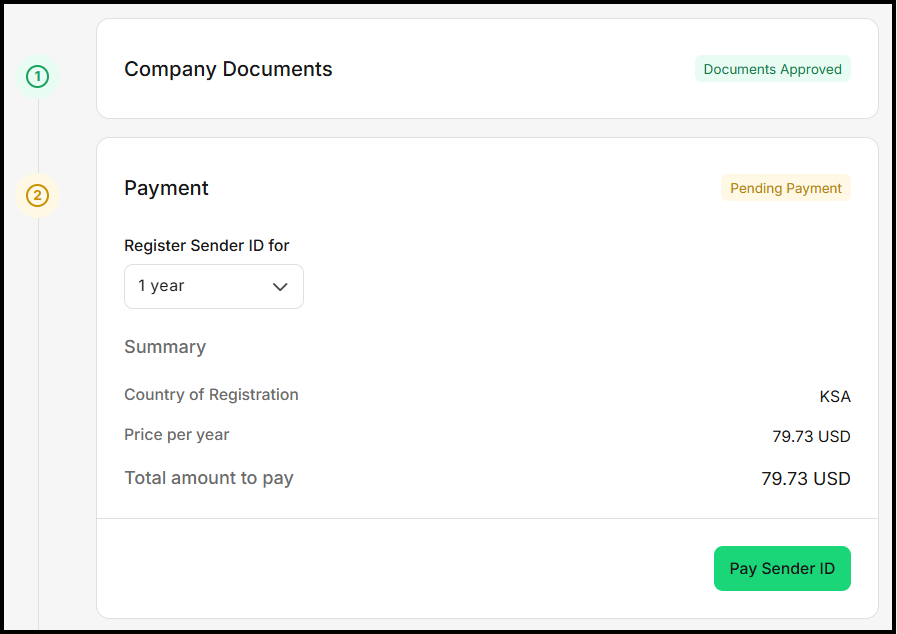
- After the documents are approved, pay the registration fee by card or account-balance deduction.
Other countries and non-KSA companies
If the Sender ID is for another country, or your company is not registered in KSA, start the request in the platform. The Unifonic support team will contact you and process the request manually. In this case, the request might not be available for further action in the platform.
Submit documents
- Open the request and select Submit Documents.
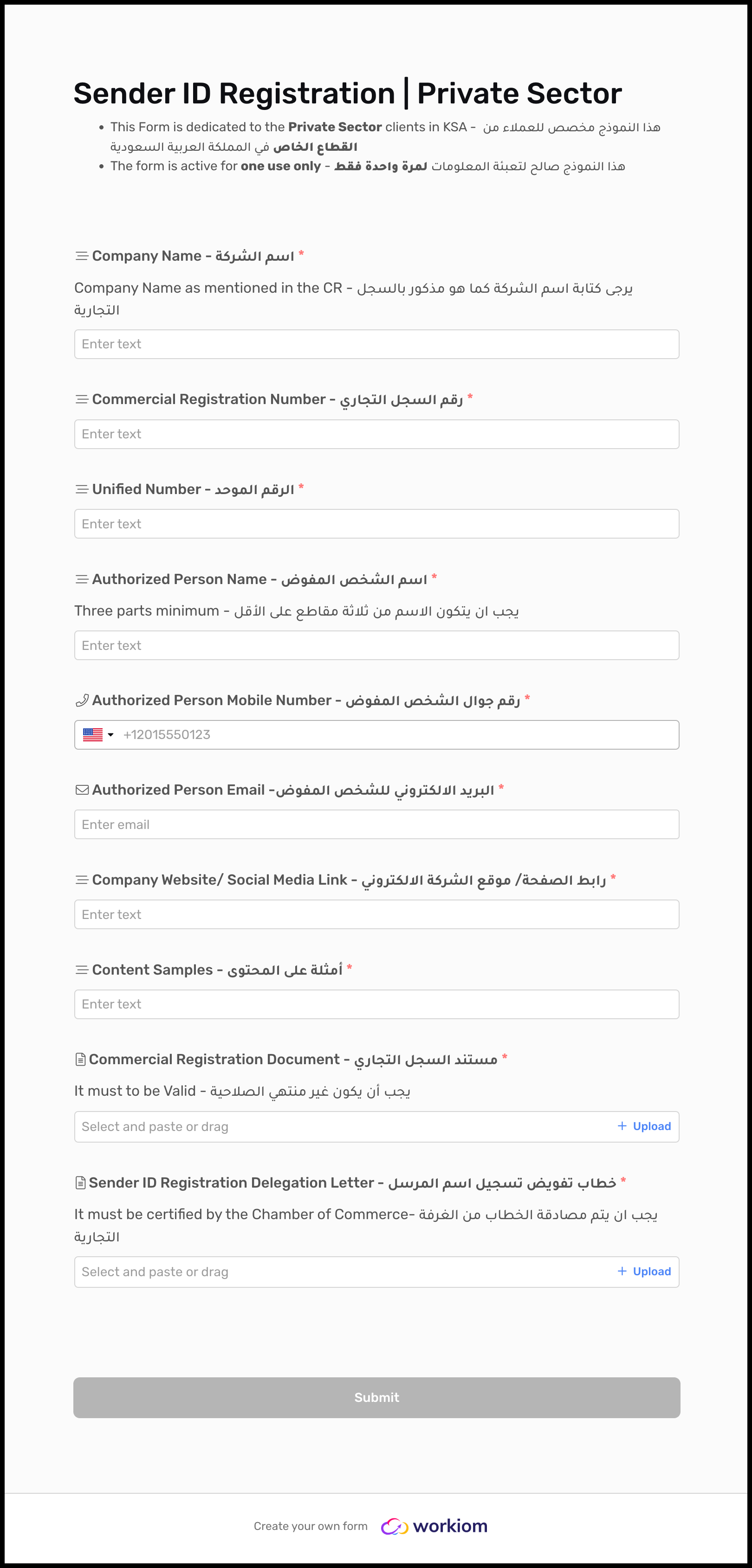
- In the form that opens in a new tab, upload the required documents for review.
- Submit the form.
Complete review and payment
The Unifonic operations team reviews the submitted documents. If a document must be corrected, you receive a resubmission request. When the documents are approved and payment is required, complete the payment by card or account-balance deduction.
Pay the registration fee
For eligible requests, select a payment method and complete the payment in the platform.
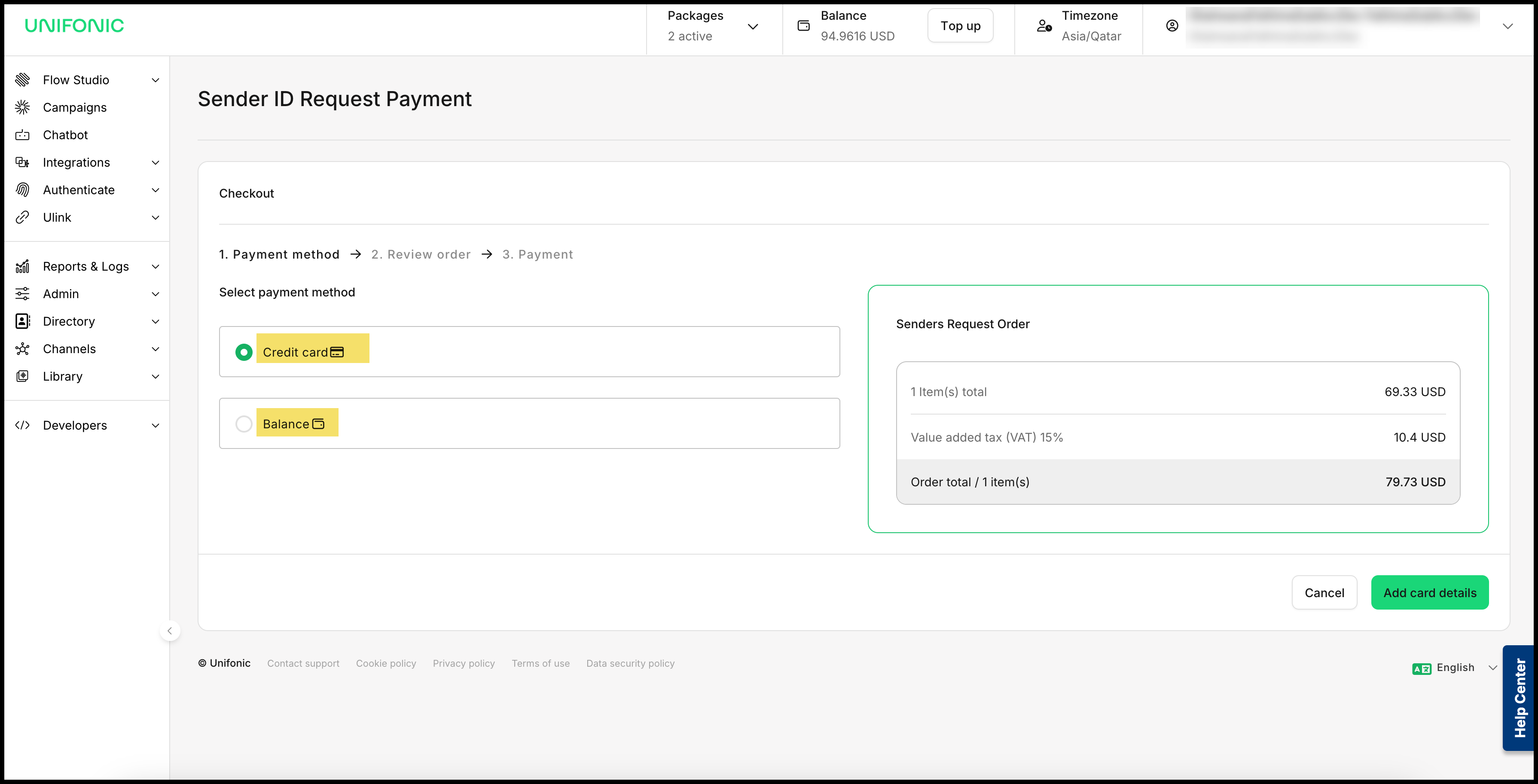
The supported payment methods are online card payment and account-balance deduction.
Track the request
Open Requests to monitor the request. After the review and any required payment are complete, the Sender ID is approved and activated.