This report allows you to monitor SMS messages in real time after they are sent. You can search for messages using a recipient phone number and view the latest delivery and processing status information.
View Real-Time Message Logs
- Access the Message Logs page.
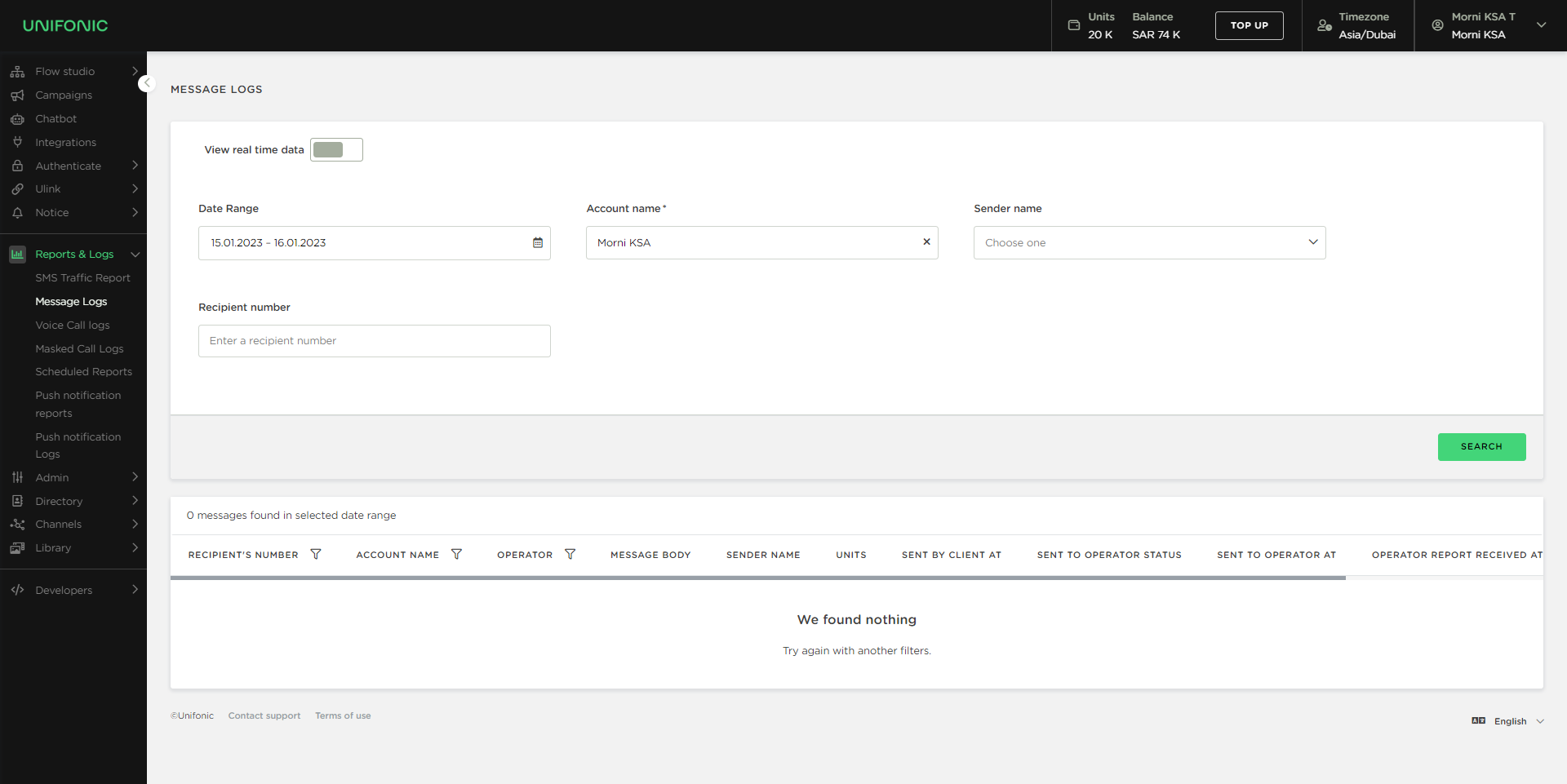
- Enable the View Real-Time Data toggle. When enabled, the toggle turns green.
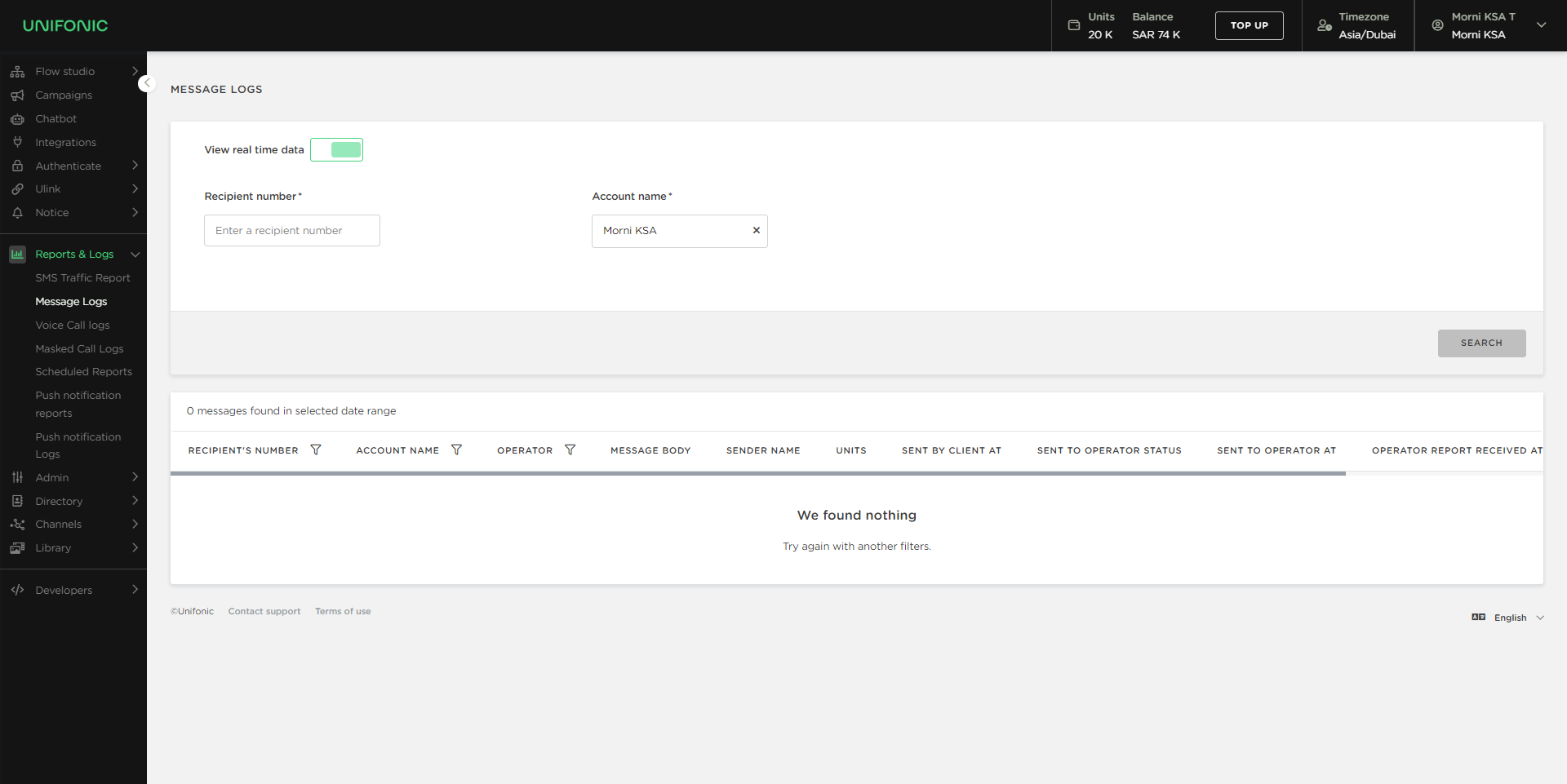
- Enter the Recipient Number.
- Select the Account Name.
- Click Search.
The report displays the latest message activity matching the selected criteria.
Report Columns
The Real-Time Message Logs report includes the following information:
| Column | Description |
|---|---|
| Recipient Number | The recipient's phone number. |
| Units | The number of SMS units consumed by the message. |
| Account Name | The account that sent the message. |
| Operator | The mobile operator responsible for delivering the message. |
| Sender Name | The sender ID used to send the message. |
| DLR | The delivery receipt status of the message. |
| Status | The sending status of the message. |
| Sent by Client | The date and time when the message was sent by the client. |
| Sent to Operator | The date and time when Unifonic submitted the message to the operator. |
| Delivered to Customer | The date and time when the message was delivered to the recipient. |
Delivery Receipt (DLR) Status
| DLR Status | Description |
|---|---|
| Delivered | The message was successfully delivered to the recipient. |
| Pending | Delivery confirmation has not yet been received. This may occur if the recipient's device is turned off, unavailable, or temporarily unreachable. Delivery may complete when the device becomes available again. |
Message Status Values
| Status | Description |
|---|---|
| Sent | The SMS was successfully sent from Unifonic to the mobile operator. |
| Not Sent | The SMS could not be processed or sent due to a sending issue. |
Understanding Real-Time Monitoring
Real-time message logs allow you to monitor message processing and delivery activity shortly after messages are sent, helping you quickly verify delivery progress and identify potential issues.