---
title: "Campaign Calendar"
id: "multichannel-campaigns"
project: "Products Documentation"
url: "https://docs.unifonic.com/articles/products-documentation/multichannel-campaigns"
updated: 2026-11-24T06:31:03Z
---
# Campaign Calendar
# Campaign Calendar
Use **Multichannel Campaigns (MCC)** to create and manage campaigns across SMS, WhatsApp, Voice, Email, and Flow-based channels from one place.
MCC integrates with **Flow Studio**, so you can customize campaign flows and build customer journeys that meet your business needs.
## View campaigns
The **Campaigns** page provides two views:
* **List view:** Review campaign details and statuses in a structured list.
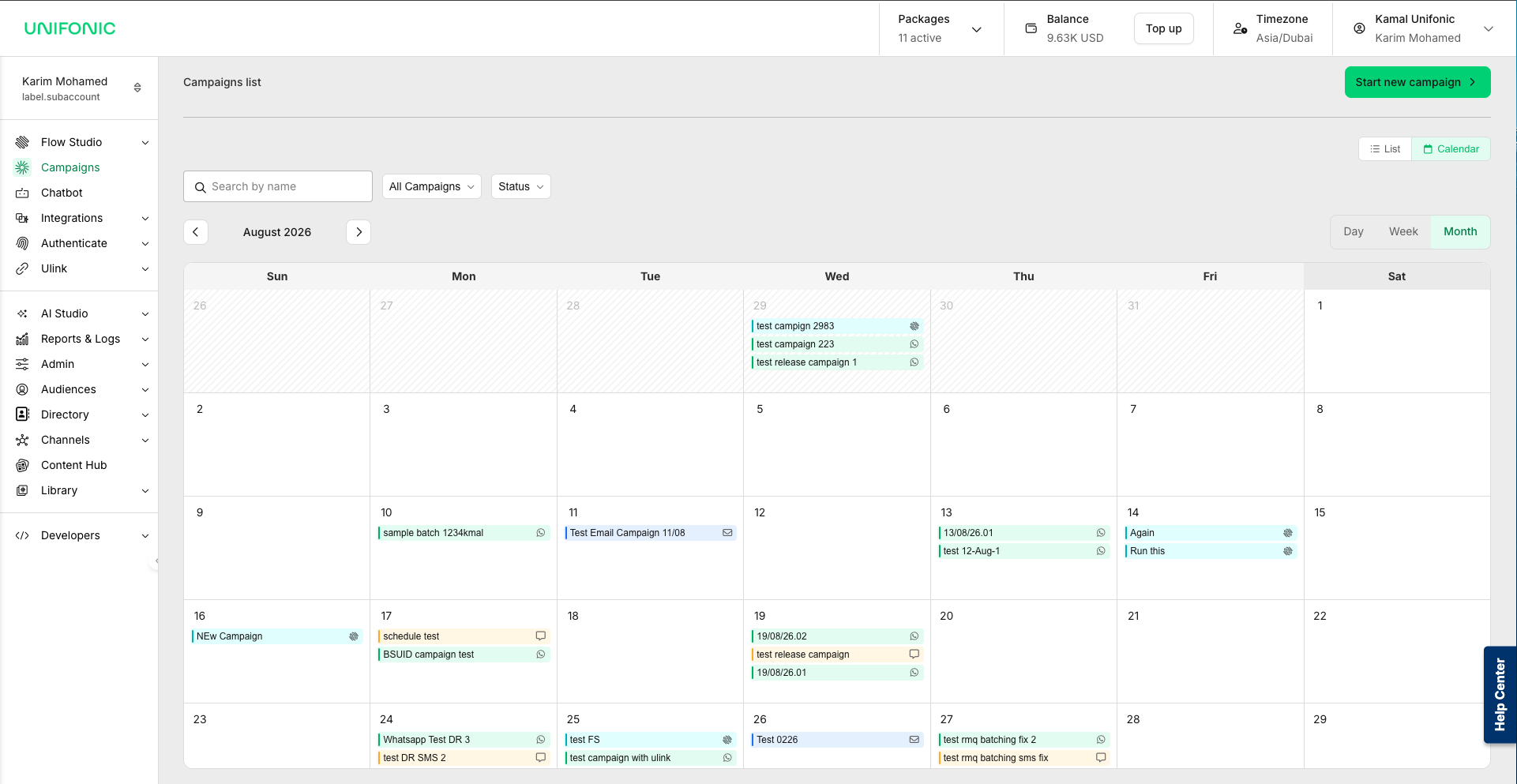
* **Calendar view:** Review scheduled and sent campaigns across channels in a calendar.
### Use Calendar view
Calendar view displays campaign activity across supported channels in one place. Use it to:
* View campaigns by **day**, **week**, or **month**.
* View WhatsApp, SMS, Email, and Flow-based campaigns together.
* Search for a campaign by name.
* Filter campaigns by channel, type, or status.
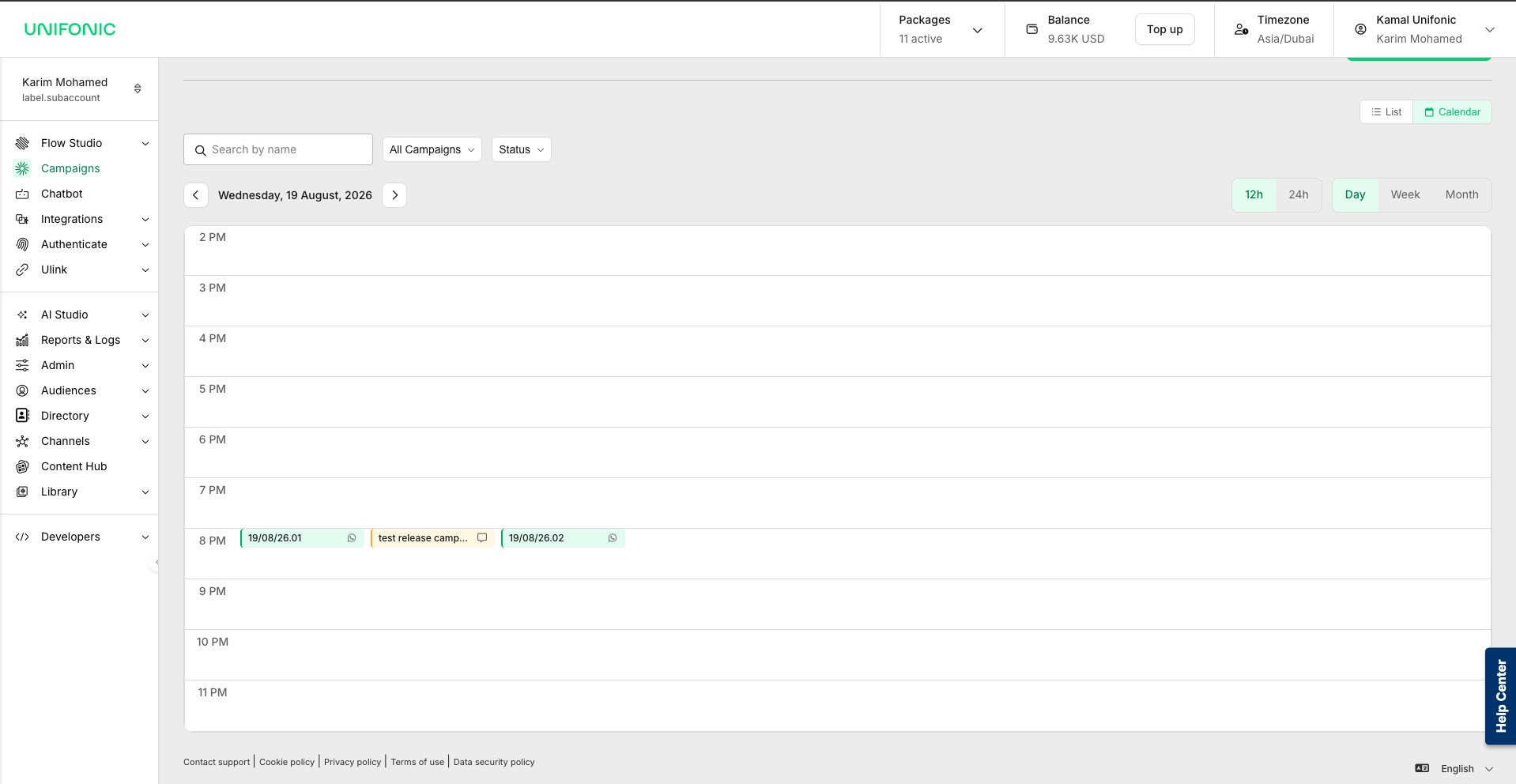
* Switch between 12-hour and 24-hour time formats in Day and Week views.
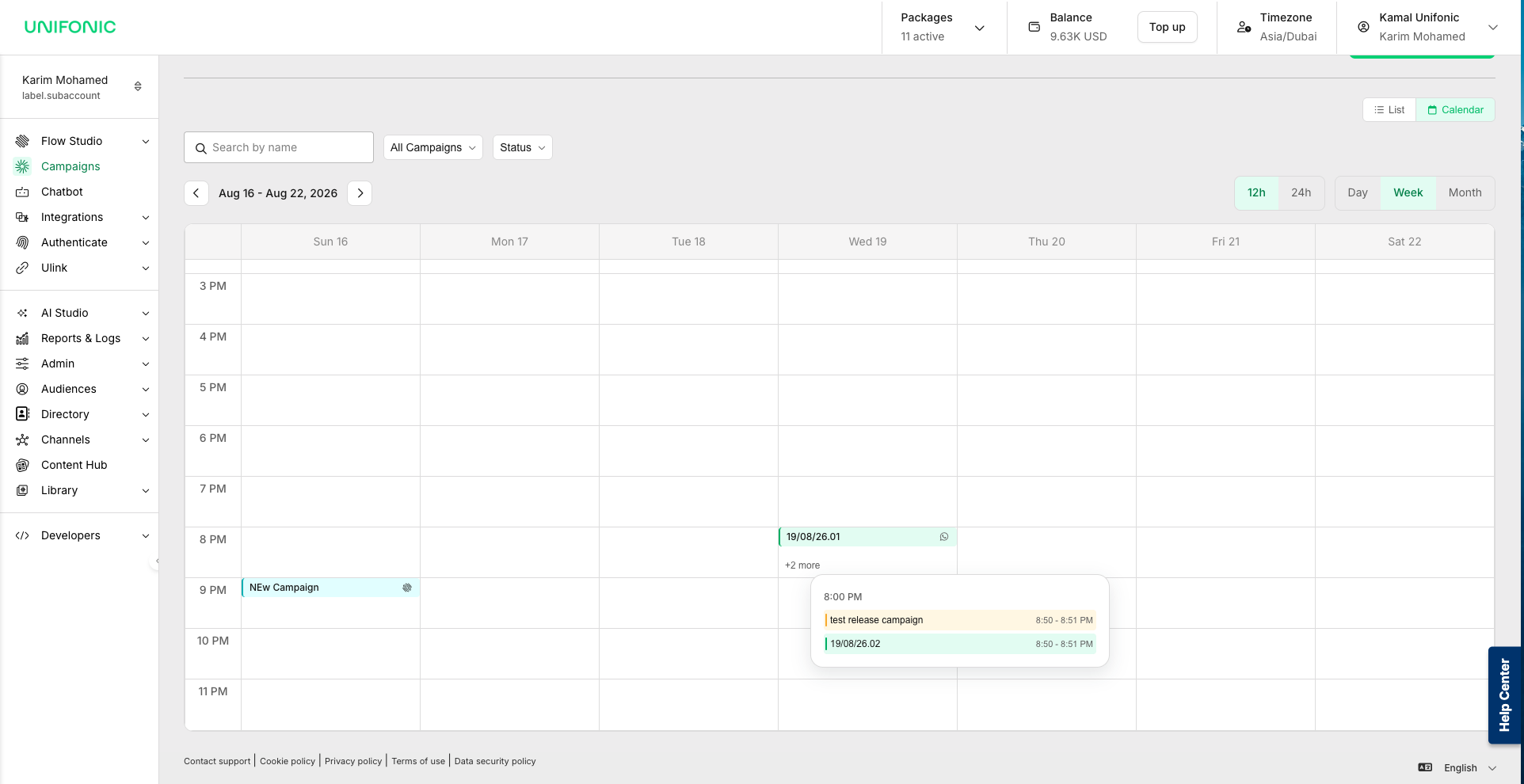
* Select **+N more** to view campaigns scheduled within the same time period.
In Day and Week views, each campaign appears at its scheduled time.
When multiple campaigns are scheduled close together, select **+N more** to view all campaigns in that time period.
|  | Get started for free
Use a free **WhatsApp sandbox number** and **SMS trial sender ID** with a free message package to test the services. Sign in with your Unifonic Cloud account to try Multichannel Campaigns at no charge.
*Before you create a campaign, activate the trial number or sender ID that you want to use.* |
| --- | --- |
© Unifonic. All rights reserved.
[Send feedback](mailto:support@mycompany.com) on this topic to us.